Showcase
A self-contained Flask app that demonstrates every one of mneme's use cases against a real LLM running on a DGX Spark (or any Ollama-compatible host). The classification page is the marquee demo — paraphrases hitting cache instead of nemotron-3-nano is the kind of thing that lands in seconds — but the same Flask app also exposes Dedup, Translate, Agent memory, and RAG retrieval pages, each backed by the same SemanticCache and demonstrating its specific pattern.
The pitch in one sentence: an LLM call is slow and expensive on every input; this app makes that obvious across five different pattern types, then makes it disappear by wrapping each call in mneme.SemanticCache.
The full project lives at examples/showcase/.
What's in the demo
| Page | Pattern | Cache key | Cache value |
|---|---|---|---|
| Classify | Intent classification | message text | one of 7 intents |
| Dedup | Semantic deduplication | content text | sentinel "seen"; reads Hit.similarity directly |
| Translate | Translation cache | source text + target lang (one namespace per pair) | translated text |
| Agent memory | Per-agent task→plan | task description + agent_id (one namespace per agent) | execution plan |
| RAG | RAG retrieval | question | JSON bundle of (answer, contexts, chunk_ids) |
| Stress test | (operational) bulk classification | — | — |
| Cache inspector | (operational) raw entry view | — | — |
| Multi-tenant | (operational) namespace quotas | — | — |
| Dashboard | (operational) live stats + maintenance | — | — |
Each page demonstrates a slightly different shape of the same library — read examples/showcase/use_cases.py for the wrappers (Deduplicator, CachedTranslator, CachedAgent, CachedRAG). They're under 150 lines combined; the patterns are short.
The pages
The dashboard and the five use-case pages cover the library's capabilities; three operational pages (Stress, Inspector, Multi-tenant) demonstrate workflows around it.
Dashboard - live counters and maintenance
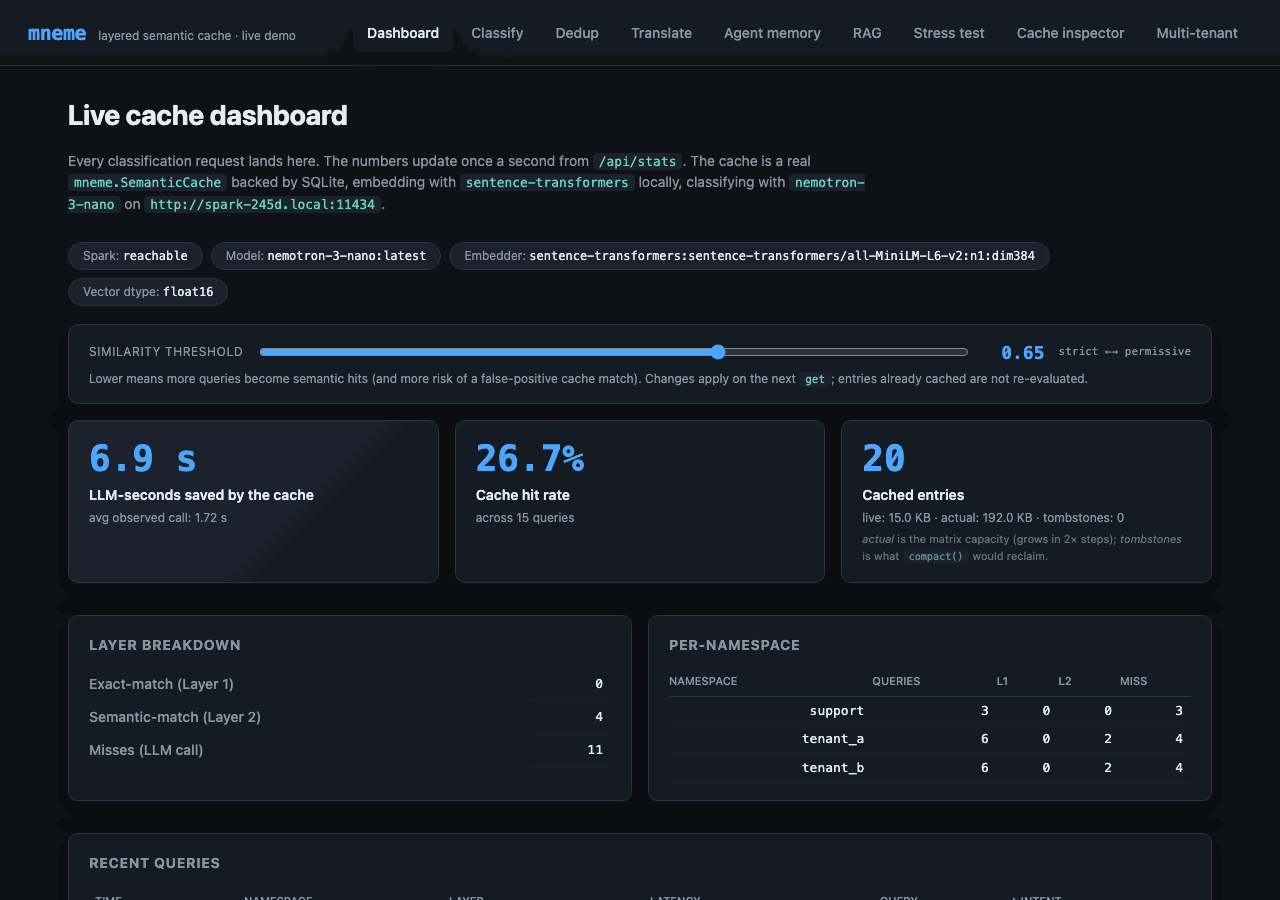
Polls /api/stats once a second. Surfaces every meaningful piece of state:
- LLM-seconds saved - the headline number; this is why mneme exists in one stat.
- Cache hit rate - climbs as paraphrases land on cached entries.
- Cached entries - total entry count, plus the actual matrix bytes (
Stats.index_memory_bytes) and tombstone count (Stats.index_tombstone_count) so you can spot RAM drift. - Layer breakdown - exact-match vs semantic-match vs miss counts.
- Per-namespace breakdown - proves the multi-tenant story (each tenant's traffic isolated).
- Recent queries - a ring buffer of the last 50, color-coded by layer (green=exact, blue=semantic, orange=miss).
- Similarity threshold slider - adjusts the cache's runtime knob from the UI. Drag it left, more queries become semantic hits; drag right, fewer hits but tighter precision. Calls
cache.set_similarity_threshold(value)debounced at 150 ms while dragging. - Compact button (Maintenance card) - calls
cache.compact()to reclaim tombstoned matrix rows; reports reclaimed count. - Clear cache (Danger zone) - namespace-scoped via the dropdown: pick "All namespaces" for
cache.clear(), or pick a specific tenant forcache.clear_namespace(ns).
Classify - single-query intent classification
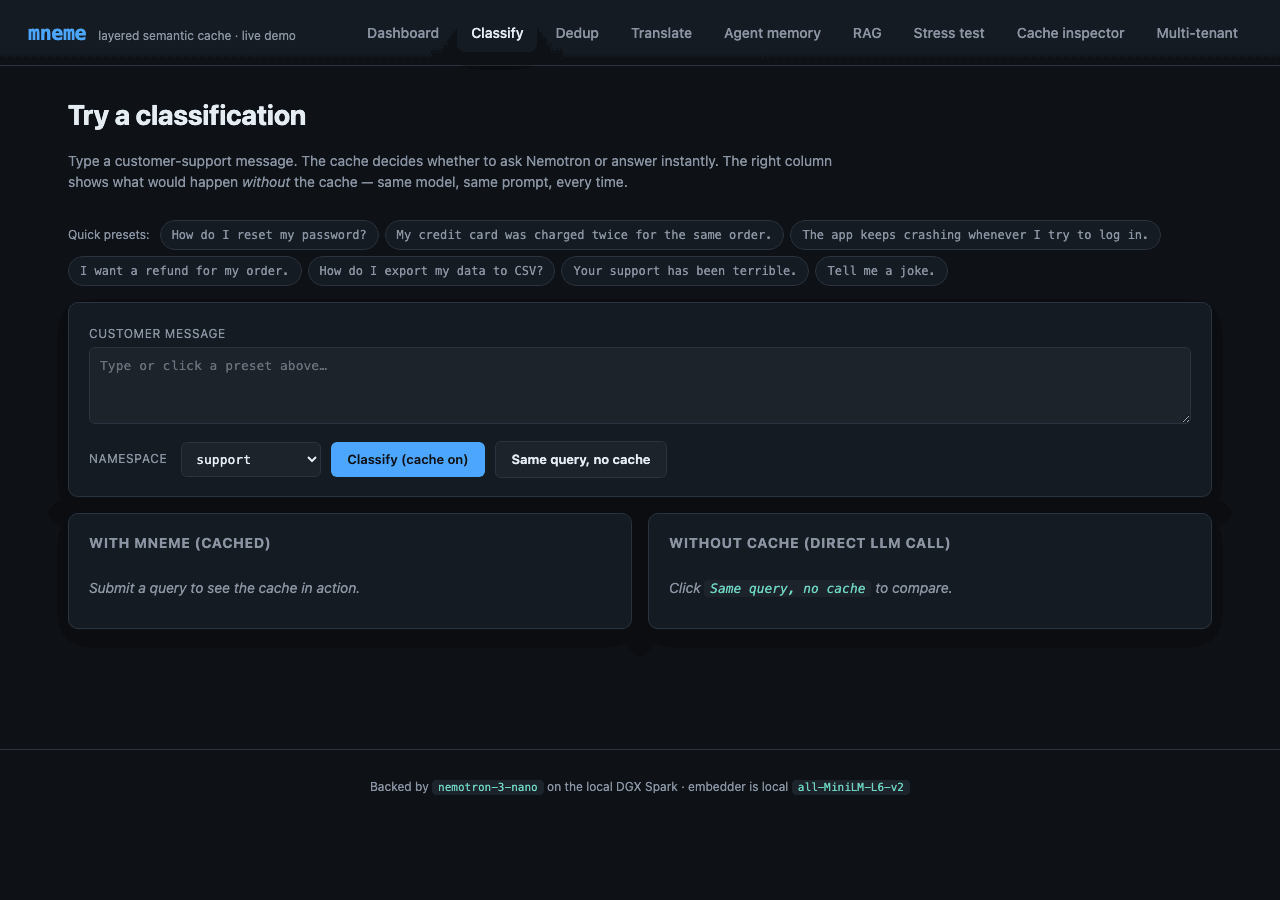
Submit one query at a time and see the cache decide. The right column shows the same query with the cache bypassed - same model, same prompt, every time - for direct wall-clock timing comparison.
The narrative arc:
- Click "How do I reset my password?" preset → submit. Status:
miss. Latency: ~500 ms (the LLM ran). Intent:how_to. - Submit the same query again. Status:
exact. Latency: ~0.2 ms. Same intent. - Submit "I forgot my password, what now?". Status:
semantic. Similarity: ~0.79. Latency: ~25 ms. Same intent. - Click "Same query, no cache". Status:
miss. Latency: ~500 ms again. The cache didn't lift a finger this time - that's the cost you'd pay on every request without mneme.
Step 3 is the moment the demo earns its keep.
Dedup - semantic deduplication, no LLM
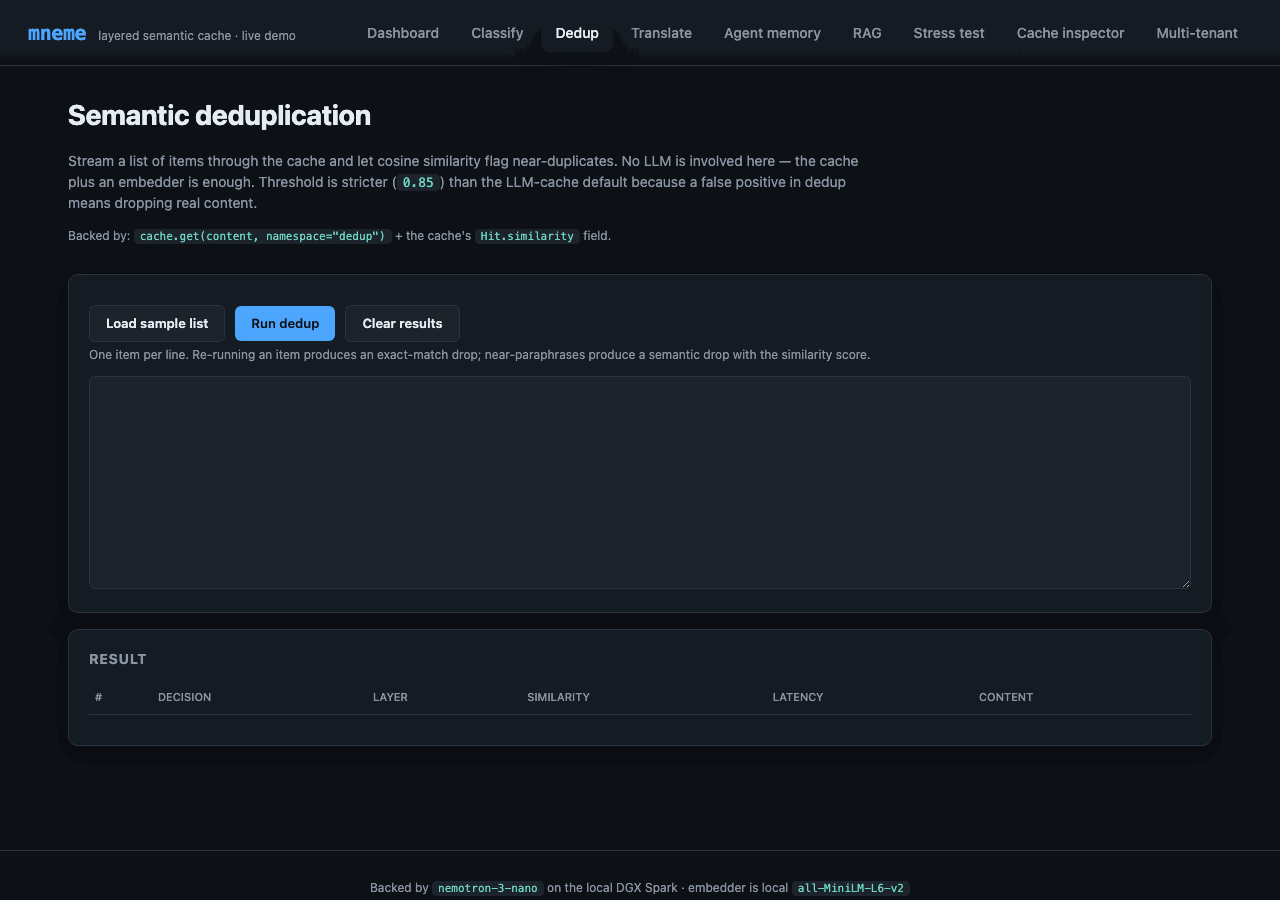
Different shape from the LLM cache: read Hit.similarity, ignore Hit.response. The cache becomes a "have I seen something this close before?" detector. Threshold is stricter (0.85) than the LLM-cache default because false positives drop real content.
Paste a list, hit Run. The results table tags each row as KEEP (novel) or DROP (near-duplicate of a prior row), with the similarity score. The "Load sample" button populates a small set with deliberate paraphrase pairs so you can see the layer behavior — same string twice → exact-match drop; rephrased string → semantic-match drop with the score; unrelated string → KEEP.
Backed by Deduplicator — under 30 lines.
Translate - per-language-pair caching
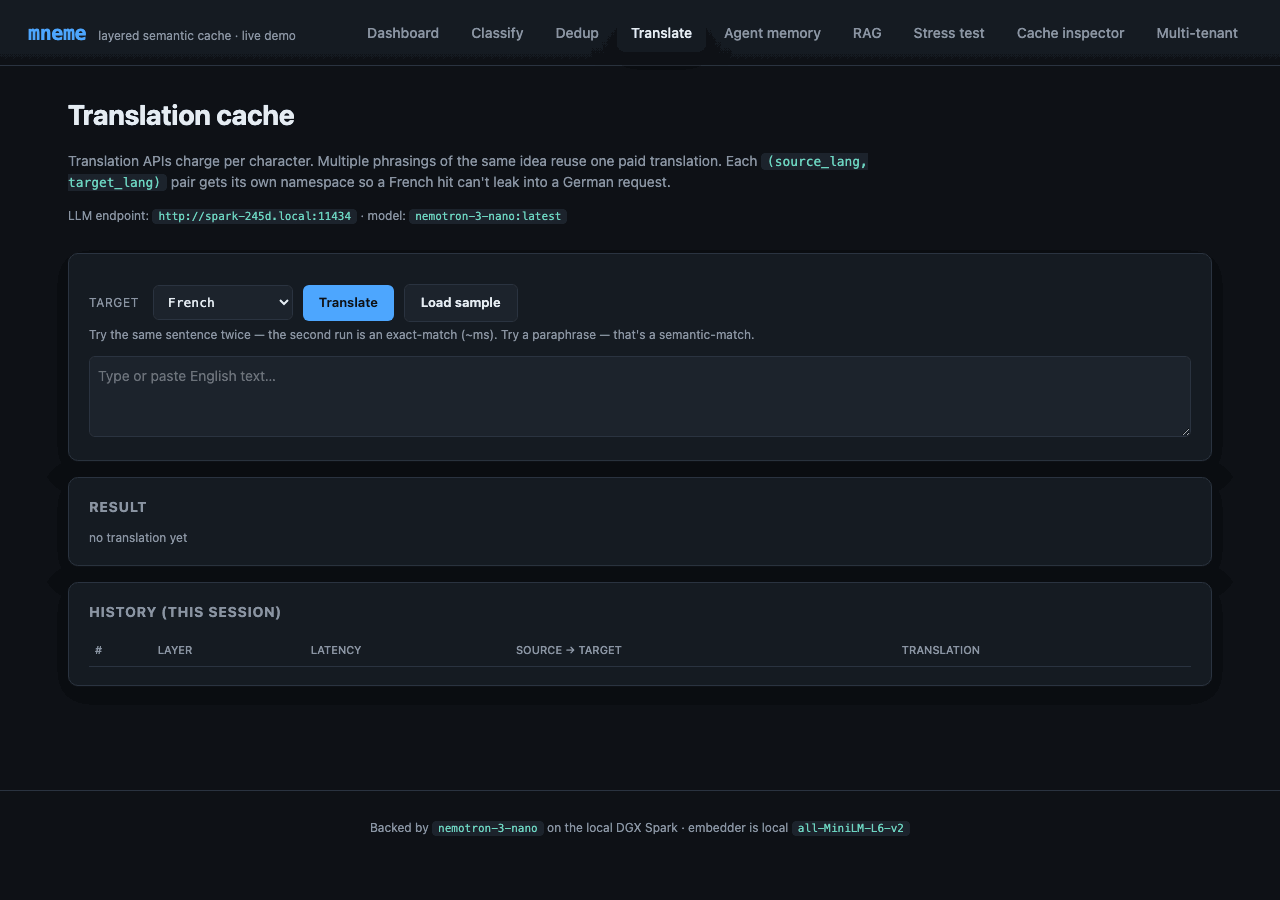
Each (source, target) pair gets its own namespace (translate:en-fr, translate:en-es, …) so a French hit can't leak into a German request. Translation comes from Nemotron with a "translate this exactly" system prompt.
Try it: translate the same sentence twice → exact-match (~ms). Pick a different target language → miss for the new pair, exact-match for the original pair. Paraphrase the source → semantic-match against the prior translation; the LLM is not called.
Backed by CachedTranslator.
Agent memory - per-agent task→plan with confidence gate
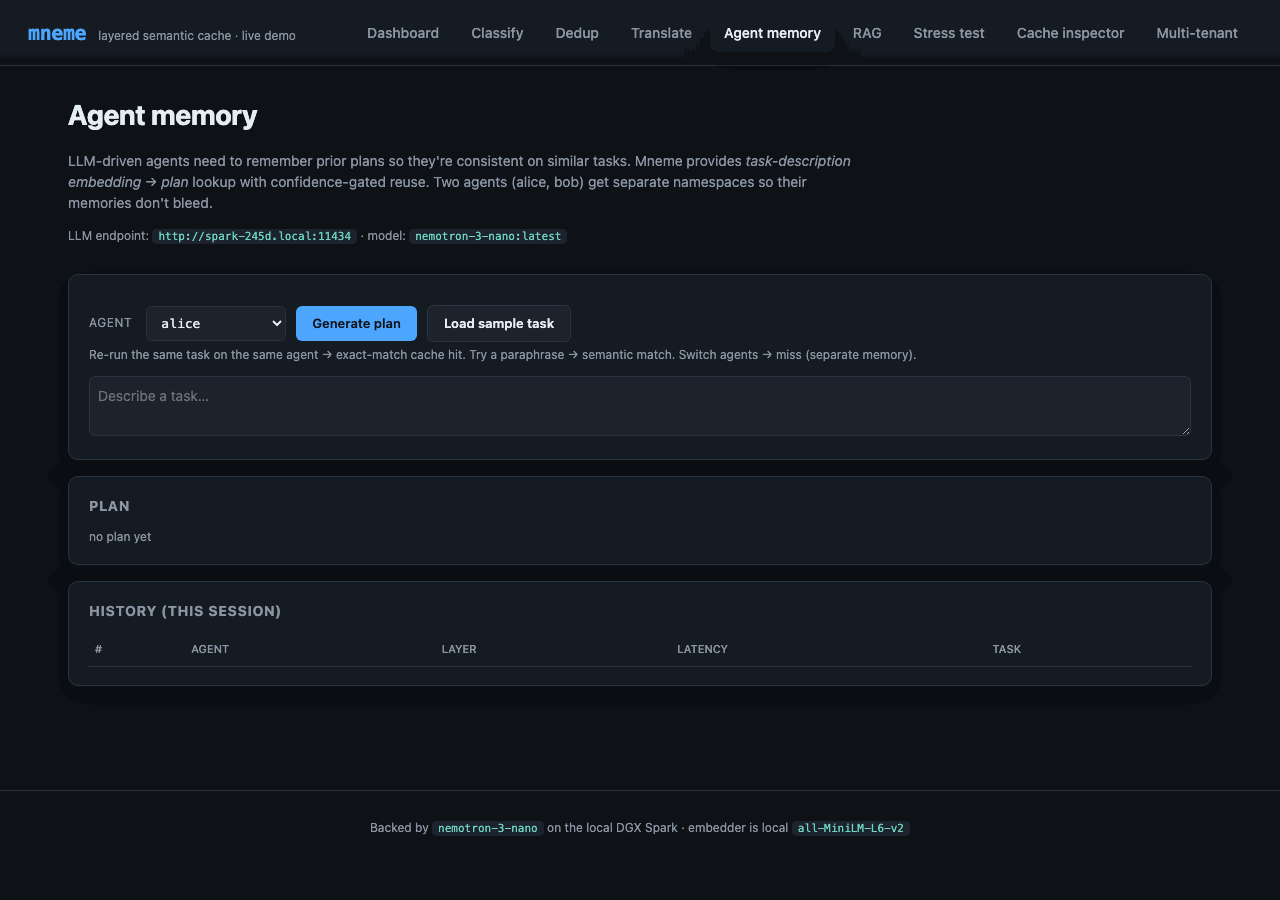
LLM agents need memory of prior decisions for consistency. mneme provides task-embedding → plan lookup, with a confidence >= 0.7 gate so degraded similarity doesn't pull in stale plans. Per-agent namespace (agent:alice, agent:bob) keeps memories isolated.
Try it: generate a plan for alice. Re-run the same task as alice → exact-match cache hit. Switch to bob → miss (separate memory). Paraphrase alice's task → semantic-match with confidence-gated reuse.
Backed by CachedAgent.
RAG - retrieval cache with synthesized answer
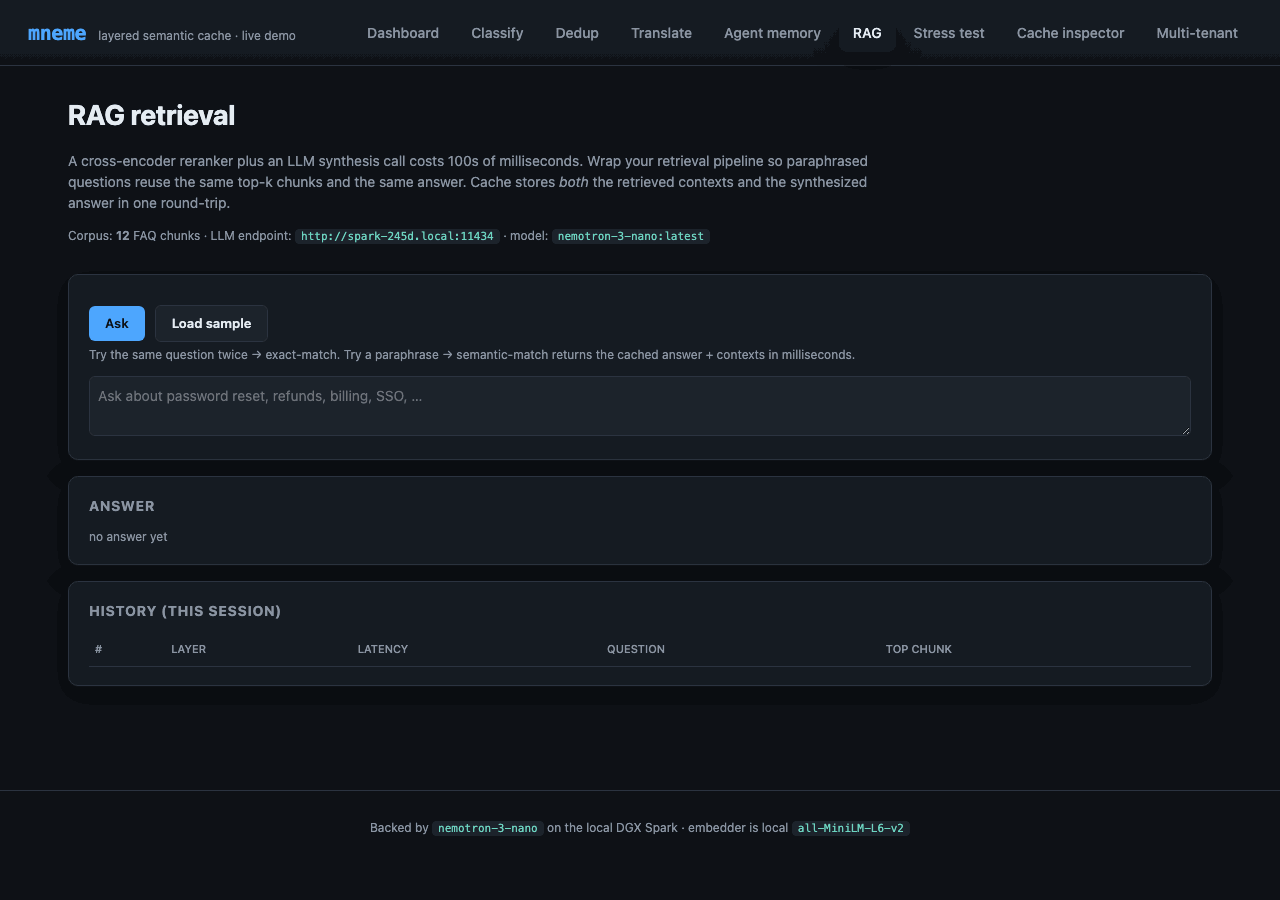
A single cached entry stores the entire RAG bundle: the synthesized answer, the top-k retrieved chunks, and their IDs as a JSON-encoded payload. So a paraphrased question reuses both the retrieval and the synthesis in one shot — milliseconds instead of hundreds of ms (retrieval) plus seconds (LLM synthesis).
Corpus is 12 customer-support FAQ chunks shipped in use_cases.py. Top-3 retrieval over cosine similarity against the same all-MiniLM-L6-v2 embedder. Synthesis from Nemotron with a strict "use only the context" system prompt and [1]/[2]/[3] source citations.
Try it: ask about password reset. First call: ~1–2 s (retrieval + Nemotron). Re-ask same question → exact-match (~ms). Paraphrase ("How do I change my password?") → semantic-match returns the same bundle.
Backed by CachedRAG.
Stress test - cumulative hit-rate live
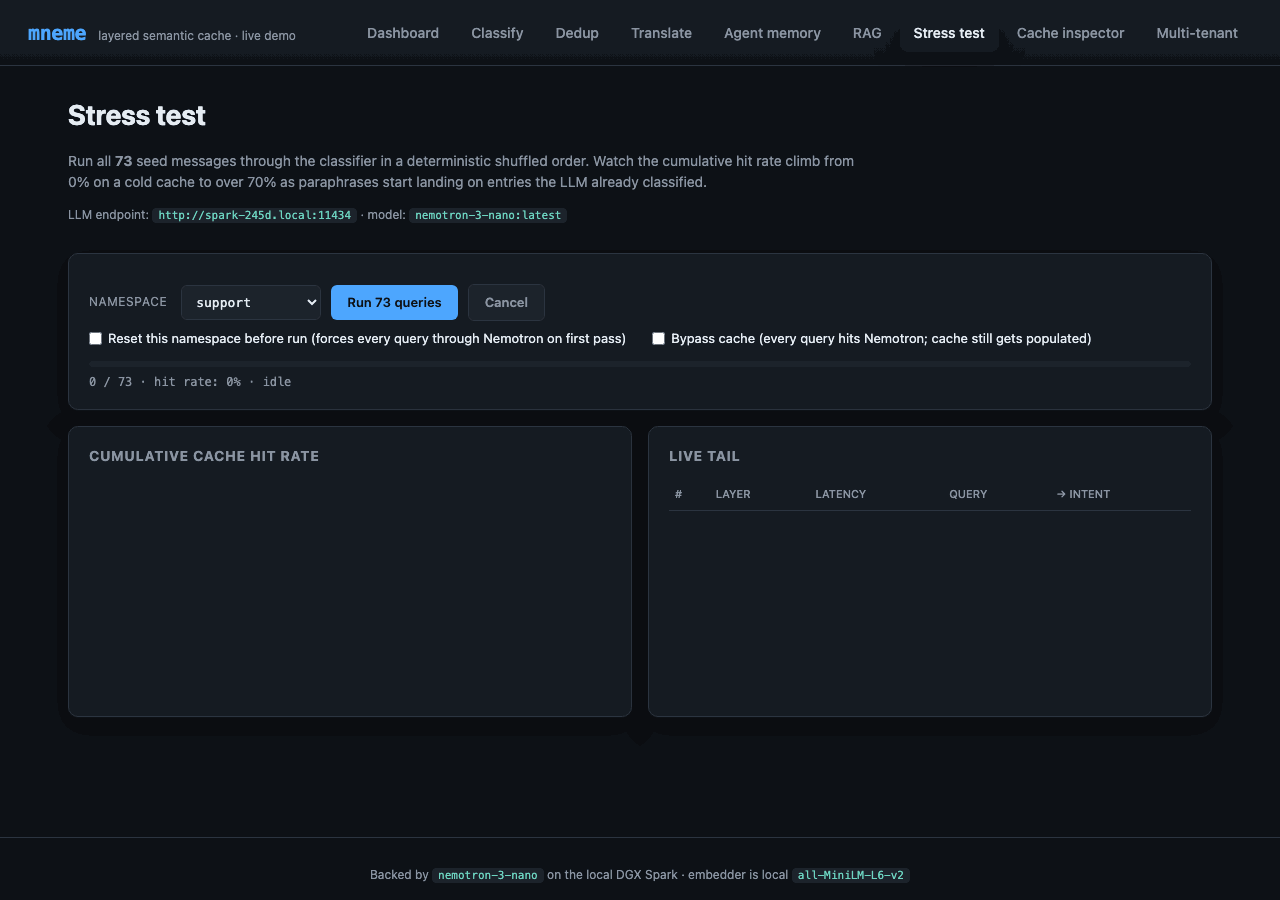
Click "Run 73 queries" and the page streams Server-Sent Events, one per classification. The Chart.js line on the left tracks the cumulative cache hit rate climbing from 0% on a cold start to 30–40% by the end of the run; the live tail on the right shows the most recent classifications with their layer badges.
Why this works as a demo: the corpus has deliberate paraphrase clusters (see seed_data.py). The first query in each cluster misses (LLM call); subsequent paraphrases hit Layer 2. As the run progresses, hits start landing in real time. The chart shows the cache learning the corpus in front of you.
The full run takes ~40 seconds - most of that wall time is the first query of each of the 7 intent clusters paying the full LLM tax.
Cache inspector - what's actually in there
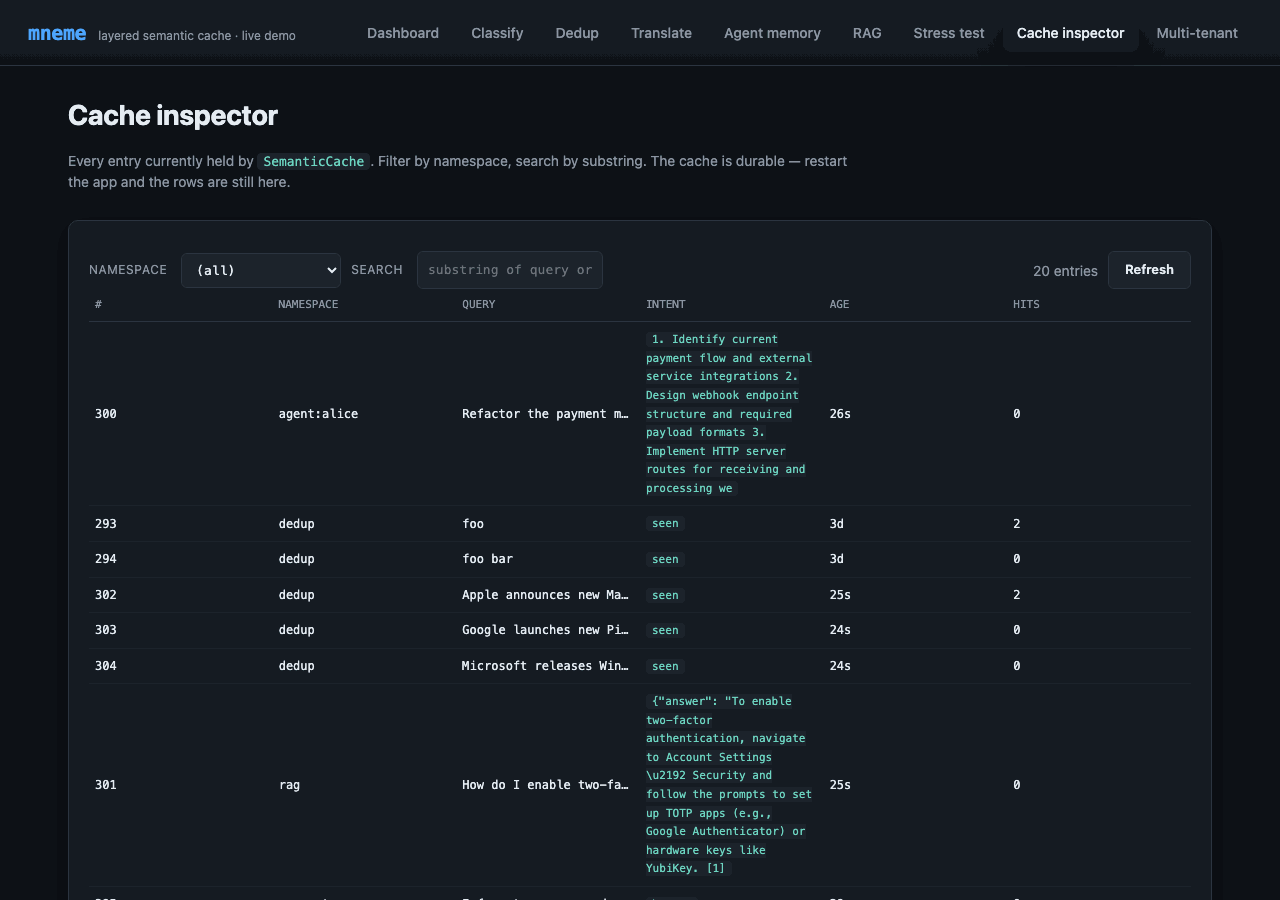
A paginated table of every entry in the cache. Filter by namespace, search by substring. Confirms two things:
- Persistence is real. Stop the Flask app, restart it, refresh this page - the entries are still here. SQLite is the durable backing.
- The cache is not magic. Just (namespace, query, response, age) tuples. The "intent" column is whatever the LLM returned, cached verbatim.
The hits column shows how many times each entry has been served - useful for understanding which queries dominate your workload.
Multi-tenant - namespace isolation in action
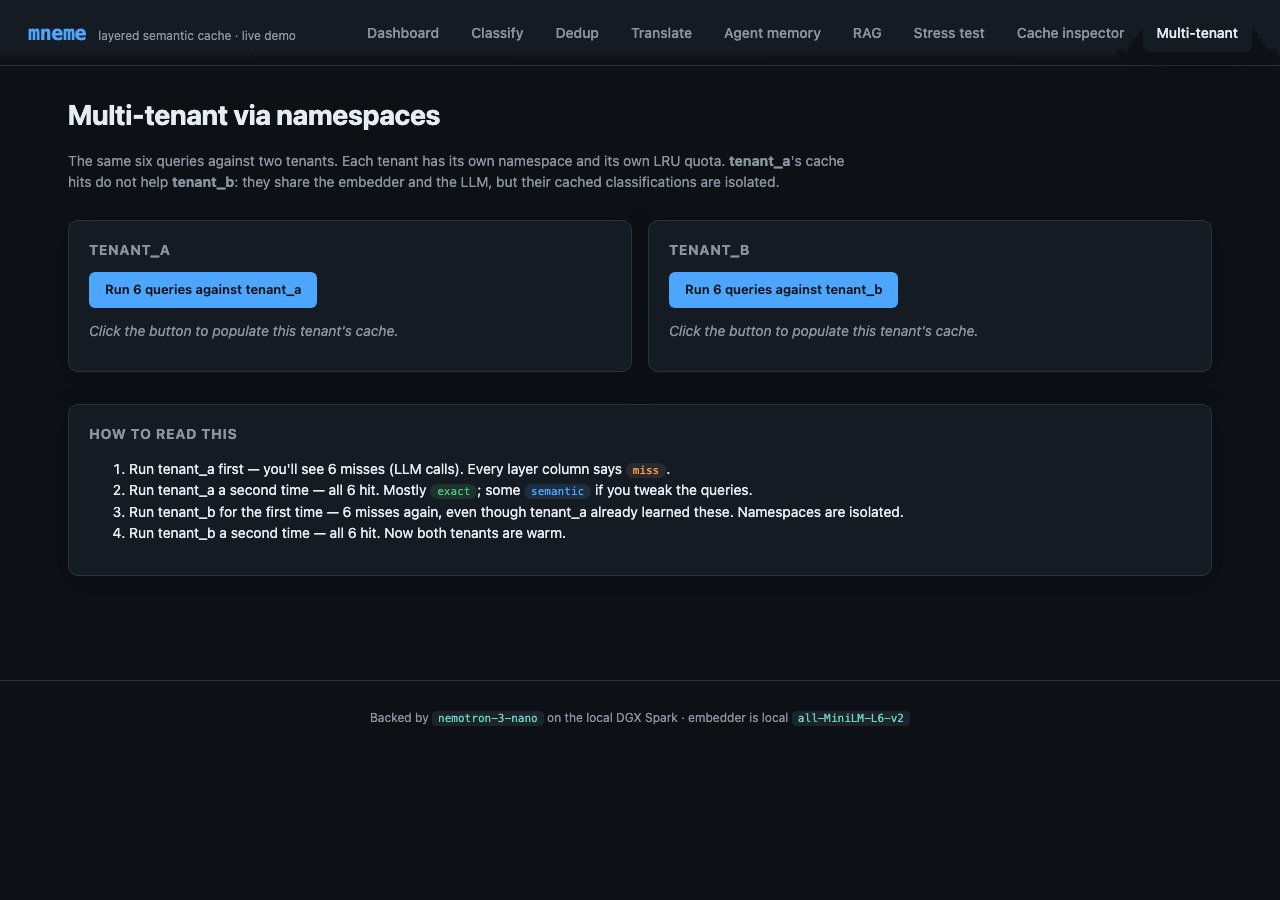
Click tenant_a twice, then tenant_b twice, and watch:
- tenant_a 1st run - 6 misses (LLM calls). Every layer column says
miss. - tenant_a 2nd run - 6 hits. Mostly
exact, somesemanticif the queries vary slightly. - tenant_b 1st run - 6 misses again, even though tenant_a already learned the same queries. Namespaces are isolated.
- tenant_b 2nd run - 6 hits. Both tenants now warm.
The dashboard's per-namespace breakdown table updates live during each run; you can flip between tabs and watch the counters move.
This is the multi-tenancy story made concrete: same cache, same embedder, same LLM, same queries - but tenant_a's hit history doesn't leak into tenant_b's request path.
What's running under the hood
- LLM:
nemotron-3-nano(31.6 B Nemotron-H-MoE, Q4_K_M) served by Ollama. The default config points athttp://localhost:11434; override withMNEME_SHOWCASE_SPARK_URL=http://your-host:11434to point at a remote box (e.g. a DGX Spark on your LAN). Cold call ~4 s (model load); warm ~0.5 s. - Embedder:
sentence-transformers/all-MiniLM-L6-v2(384-dim) running locally on CPU, ~80 MB memory. - Cache:
SemanticCacheagainst SQLite atexamples/showcase/cache.db.vector_dtype="float16". Threshold calibrated to 0.65 against the seed corpus. - Web: Flask 3 in
app.run(threaded=True). No external services beyond the LLM host; no auth.
Every public mneme API is exercised somewhere in the app. The cache wrappers live in use_cases.py (under 250 lines covering all four secondary patterns). app.py adds the routes around them and shows: SemanticCache.__init__, get (including bypass=True), put, delete, stats, list_namespaces, clear, clear_namespace, compact, vacuum, set_similarity_threshold, plus the Hit / Stats dataclasses and namespace-scoped operations. If you want to copy a pattern into your own service, start in use_cases.py.
Running it
git clone https://github.com/anthonynystrom/mneme.git
cd mneme/examples/showcase

python -m venv .venv
source .venv/bin/activate

pip install -r requirements.txt
pip install -e ../..                             # editable install of mneme

# Sanity-check the LLM host (defaults to localhost; set MNEME_SHOWCASE_SPARK_URL
# to a remote host like http://your-spark.local:11434 if Ollama isn't local).
curl -fsS "${MNEME_SHOWCASE_SPARK_URL:-http://localhost:11434}/api/tags"

python app.py
Open http://127.0.0.1:5001. The dashboard renders immediately; first classification takes a few hundred extra ms while the embedder warms.
Configuration
Everything lives in config.py and accepts MNEME_SHOWCASE_* env-var overrides:
| Variable | Default | Notes |
|---|---|---|
MNEME_SHOWCASE_SPARK_URL |
http://localhost:11434 |
Ollama host (override to point at a remote DGX/server) |
MNEME_SHOWCASE_MODEL |
nemotron-3-nano:latest |
Any Ollama model that follows JSON-format instructions |
MNEME_SHOWCASE_LLM_TIMEOUT |
60 |
Seconds |
MNEME_SHOWCASE_EMBEDDER |
sentence-transformers/all-MiniLM-L6-v2 |
Local embedder |
MNEME_SHOWCASE_SIM_THRESHOLD |
0.65 |
Calibrated; tweak via the dashboard slider too |
MNEME_SHOWCASE_DTYPE |
float16 |
float32, float16, or int8 |
MNEME_SHOWCASE_PORT |
5001 |
macOS uses 5000 for AirPlay Receiver |
What this is not
- Not a library. The showcase is a demo, not part of the installed
mnemewheel. It lives inexamples/showcase/and ships its ownrequirements.txt. - Not production code. No auth, no TLS, no WSGI server. It's
app.run()for clarity. Don't expose it on the open internet. - Not the only way to use mneme. It's one shape - Flask in front of an LLM. Most production users wrap the cache around the LLM call inside their own service. See Your first cached LLM.
Code layout
examples/showcase/
  README.md                 # quickstart + troubleshooting
  requirements.txt          # Flask, sentence-transformers, requests, numpy
  config.py                 # central config + env var overrides
  app.py                    # Flask routes + AppState (~600 lines)
  classifier.py             # CachedClassifier wrapping the LLM
  use_cases.py              # Deduplicator, CachedTranslator, CachedAgent, CachedRAG + RAG corpus
  nemotron_client.py        # Ollama HTTP client (classify + translate + plan + RAG synthesis)
  embedder.py               # SentenceTransformersEmbedder
  seed_data.py              # 73 labeled paraphrases across 7 intents
  calibrate.py              # threshold tuning script
  templates/                # 9 pages: dashboard + 5 use cases + 3 operational
  static/                   # style.css + app.js
Where to go next
- Use cases - five patterns, including runnable examples for the ones not covered by this UI.
- Your first cached LLM - the same caching pattern, without the demo wrapping.
- Multi-tenant - what the namespace switcher demonstrates.
- Performance baseline - the numbers behind the "saved seconds" counter.